Showing posts with label FRP Reset. Show all posts

Friday, January 26, 2018

How to Reset G5 ( NPP25 ) Frp with Sigmabox


1. Connect Phone in Factory mode.
2. Select Android Adb tab Then Select Qualcom Tab.
3. Wait Few Minutes.   ( Important )
4. Click Connect Mottorola Android Phones.


SigmaKey 2.27.00 ADB: Connect Motorola Android phone
Firmware: MPSS.JO.2.0.c1-00122-8937_GENNS_PACK-1.82203.1
Date: Dec 23 2016 00:27:28, Dec 22 2016 06:00:00, 8937.gen
Software IMEI: 351000000000010
Connecting......Done
PLEASE RESTART PHONE MANUALLY!
Read the manual at the official site www.sigmakey.com for details.


5. Second Time Restart and connect Phone with Factory Mode
6. Selcet serial port Mot Composite ADB Interface.


SigmaKey 2.27.00 ADB: Remove FRP
Mot Composite ADB Interface
Phone model: motorola Moto G (5)
Android 7.0; Firmware: NPP25.137-15; Date: Fri Jan 13 08:37:11 CST 2017
Version: NPP25.137-15
Baseband Firmware: M8937_8000.122.02.40R CEDRIC_EMEADSDS_CUST
Removing FRP lock....Done




Tuesday, January 9, 2018

How to Remove Frp One Plus A5010


One Plus 5 T  (A5010)  Android 7.0 , 7.1.1 , 7.1.2
One Plus 5 One Plus 3 (A3000/A3003) Android 7.0 , 7.1.1 , 7.1.2


1.open emergency Dialpad Enter this code *#812#
2.after enter this code you will show home menu
3.go to setting>backup reset do reset

Thursday, January 4, 2018

How to Remove samsung frp with commands


  1. No Need any unlock box
  2. Bluetooth activation method
  3. Download Minimal adb fastboot tool Here


adb shell am start -n com.google.android.gsf.login/

If Not Work

adb shell am start -n com.google.android.gsf.login.LoginActivity

If Not Work

adb shell content insert --uri content://settings/secure --bind name:s:user_setup_complete --bind value:s:1


Sunday, December 24, 2017

How to Reset Frp in G950F S8

Fisrt Flash combination file with odin

File :- COMBINATION_FA70_G950FXXU1AQF1_CL11405575_QB13804427_REV00_user_mid_noship

And Activate usb debug


Second flash Stock Rom with out cp and select Home CSC

File :-  G950FXXU1AQG5_G950FOXM1AQG5_BTU


Sunday, December 10, 2017

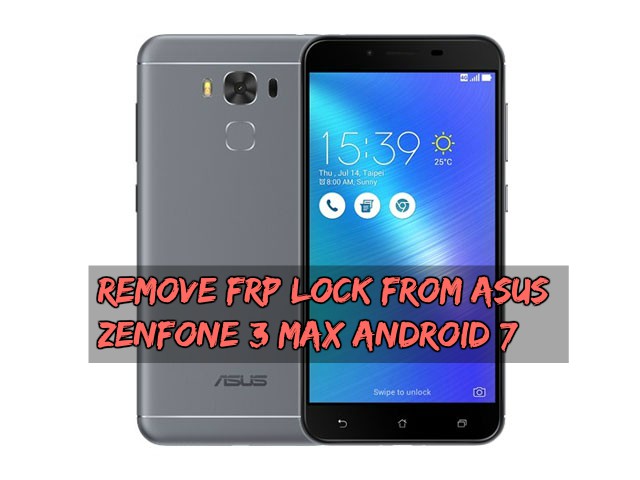
Remove FRP Lock From Asus Zenfone 3 Max Android 7

Delete Google Account Asus Zenfone 3 Max (X008D) (ZC520TL) Android 7 FRP Bypass Solution
HOW TO UNLOCK ZENFONE MAX 3
HOW TO UNLOCK SCREE LOCK PIN WITHOUT Password
How to bypass the lock screen
Forget screen lock pattern, PIN or password-ZenFone


Asus ZenFone 3 Max (ZC553KL) smartphone was launched in November 2016. The phone comes with a 5.50-inch touchscreen display with a resolution of 1080 pixels by 1920 pixels. Asus ZenFone 3 Max (ZC553KL) price in India starts from Rs. 10,400. 
The Asus ZenFone 3 Max (ZC553KL) is powered by 1.4GHz octa-core Qualcomm Snapdragon 430 processor and it comes with 3GB of RAM. The phone packs 32GB of internal storage that can be expanded up to 128GBvia a SD card card. As far as the cameras are concerned, the Asus ZenFone 3 Max (ZC553KL) packs a 16-megapixel primary camera on the rear and a 8-megapixel front shooter for selfies.
The Asus ZenFone 3 Max (ZC553KL) runs Android 6.0.1 and is powered by a 4100mAh non removable battery. It measures 151.40 x 76.24 x 8.30 (height x width x thickness) and weigh 175.00 grams.

Guide To Remove FRP Lock On  Asus Zenfone 3 Max Android 7

Open ” flash_tool.exe ” and select the Scatter file you downloaded above at ” Scatter-loading


  • When done, go to the ” Format ” tab , select ” Manual Format Flash “
  • Then fill in and 2 items as follows:
    • Begin Address[HEX]: 0x13c00000
    • Format Length[HEX]: 0x100000

  • Then press Start, turn off the phone and connect to the computer, the tool will run automatically and format the FRP partition.
  • if any error in smart flash tool. Check mobile battery is full charge or not. then turnoff your mobile and press volume down key and insert usb cable. 
  • When  OK  is successful, unplug the cable and turn it on.


frp

link